This commit fixes GIF uploads and improves GIF support:
- MediaPicker will now skip location data removal processing, as it is not needed on GIF images and causes them to be converted to JPEG images
- The uploader now sets more accurate MIME types on the upload request

Issue Repro
-----------

Device: iPhone 13 Mini
iOS: 17.4.1
Damus: `ada99418f6fcdb1354bc5c1c3f3cc3b4db994ce6`
Steps:
1. Download a GIF from GIPHY to the iOS photo gallery
2. Upload that and attach into a post in Damus
3. Check if GIF is animated.
Results: GIF is not animated. Issue is reproduced.

Testing
-------

PASS

Device: iPhone 13 Mini
iOS: 17.4.1
Damus: this commit
Steps:
1. Create a new post
2. Upload the same GIF as the repro and post
3. Make sure GIF is animated. PASS
4. Create a new post
5. Upload a new GIF image (that has never been uploaded by the user on the app) and post
6. Make sure the GIF is animated on the post. PASS
7. Make sure that JPEGs can still be successfully uploaded. PASS
8. Make sure that MP4s can be uploaded.
9. Make a new post that contains 1 JPEG, 1 MP4 file, and 2 GIF files. Make sure they are all uploaded correctly and all GIF files are animated. PASS

Closes: https://github.com/damus-io/damus/issues/2157
Changelog-Fixed: Fix broken GIF uploads
Signed-off-by: Daniel D’Aquino <daniel@daquino.me>
Reviewed-by: William Casarin <jb55@jb55.com>
This commit fixes the "ghost notifications" experienced by Purple users
whose membership has expired (or about to expire).

It does that by using a similar mechanism as other notifications to keep
track of the last event date seen on the notifications tab in a
persistent way.

Testing
--------

iOS: 17.4
Device: iPhone 15 simulator
damus-api: bfe6c4240a0b3729724162896f0024a963586f7c
Damus: This commit
Setup:
1. Local Purple server
2. Damus running on local testing mode for Purple
3. An existing but expired Purple account (on the local server)

Steps:
1. Reopen app after pointing to the new server and setting things up.
2. Check that the bell icon shows there is a new notification. PASS
3. Check that purple expiration notifications are visible. PASS
4. Restart app.
5. Check the bell icon. This time there should be no new notifications. PASS
6. Using another account, engage with the primary test account to cause a new notification to appear.
7. After a second or two, the bell icon should indicate there is a new notification from the other user. PASS
8. Switch out and into the app. Check that the bell icon does not indicate any new notifications. PASS
9. Restart the app again. The bell icon should once again NOT indicate any new notifications. PASS

Changelog-Fixed: Fix ghost notifications caused by Purple impending expiration notifications
Closes: https://github.com/damus-io/damus/issues/2158
Signed-off-by: Daniel D’Aquino <daniel@daquino.me>
Reviewed-by: William Casarin <jb55@jb55.com>
also create the contact list reset First Aid action

Automatically detecting whether or not to create a blank contact list
when we could not find any is very tricky. It could mean that no contact
list exists, but it could also mean that a temporary network or relay
outage occurred.

Since resetting the contact list when one already exists is a
destructive action, we should make no assumptions. Instead, we should
provide users the tool to fix it based on their own judgement.

For that reason, the first aid view was created. It detects if no
contact list was found, and in those cases, it gives them an option to
reset (with appropriate warning messages).

Testing 1: Contact list creation robustness
-----------------------------

Setup:
1. Network Link Conditioner installed and configured to this profile:
  - DNS delay: 400 ms
  - Downlink bandwidth: 100 kbps
  - Uplink bandwidth: 50 kbps
  - Packets dropped: 50% (On both uplink and downlink)
  - Delay: 1000 ms (Both uplink and downlink)

Procedure:
1. Turn Network Link conditioner ON
2. Go through the account creation steps
3. At the moment the onboarding follow suggestions screen shows up, quit the app
3. Turn Network Link conditioner OFF
4. Start the app again
5. Verify the home screen. It should present notes from the Damus account (the default follow)
6. Follow someone and wait for 5 seconds
7. Restart app
8. Look at the home feed. Notes from user from step 6 should appear, and that user should appear as being followed by you.

- Repro details:
  - Damus version: ada99418f6
  - Device: iPhone 15 simulator
  - iOS: 17.4
  - Number of runs: 3 times
  - Result: FAILS (issue is reproduced) 3 out of 3 times
- Test details:
  - Damus version: This commit
  - Device: iPhone 15 simulator
  - iOS: 17.4
  - Number of runs: 3 times
  - Result: PASSES all criteria 3 out of 3 times

Testing 2: Contact list First Aid
------------------------------

Setup:
1. Reproduce the issue with the old version as outlined in "Testing 1" above
2. Upgrade to the version in this commit

Steps:
1. Go to Settings > First Aid
2. A button to reset the contact list (and some text for context) should appear. PASS
3. Click on the button. A warning message should appear. PASS
4. Click "cancel". The action should be cancelled and nothing should have changed. PASS
5. Click on the reset button again.
6. Click "Continue" on the warning prompt. The reset button will now show "Contact list has been reset" with a green checkmark. PASS
5. Go back to the home tab. Notes from the Damus account should immediately appear. PASS
6. Try to follow someone and restart the app. Follows should now stick persistently. PASS
7. Go to the First Aid screen again. The reset option should no longer be present. PASS

Changelog-Added: Add First Aid solution for users who do not have a contact list created for their account
Signed-off-by: Daniel D’Aquino <daniel@daquino.me>
Reviewed-by: William Casarin <jb55@jb55.com>
Link: 20240422230912.65056-4-daniel@daquino.me
Signed-off-by: William Casarin <jb55@jb55.com>
... to a persistent setting, and try to load it from NostrDB on app start.

This commit causes the user's contact list event ID to be saved
persistently as a user-specific setting, and to be loaded immediately
after startup from the local NostrDB instance.

This helps improve reliability around contact lists, since we previously
relied on fetching that contact list from other relays.

Eventually we will not need the event ID to be stored at all, as we will
be able to query NostrDB, but for now having the latest event ID
persistently stored will allow us to get around this limitation in the
cleanest possible way (i.e. without having to store the event itself
into another mechanism, and migrating it later to NostrDB)

Other notes:

- It uses a mechanism similar to other user settings, so it is
  pubkey-specific and should handle login/logout cases

Signed-off-by: Daniel D’Aquino <daniel@daquino.me>
Reviewed-by: William Casarin <jb55@jb55.com>
Link: 20240422230912.65056-2-daniel@daquino.me
Signed-off-by: William Casarin <jb55@jb55.com>
seems like most clients don't do this and apparently simplfies some
zapper implementations. It's not a huge deal for us since people can
fake bolt11s anyways.

Suggested-by: bumi, calle
Link: 20240418230321.1907519-1-jb55@jb55.com
Signed-off-by: William Casarin <jb55@jb55.com>
This commit brings significant improvements to the video cache feature.

Previously, the cache would merely download the video when requested, in
parallel with AVPlayer which also triggers a video download.

The video cache has been updated to tap into the AVPlayer loading
process, removing the download duplication.

Here is how that works:
1. The player requests an AVAsset from the cache.
2. The cache will return a cached asset if possible, or a special AVURLAsset with a custom `AVAssetResourceLoaderDelegate`.
3. The video player will start sending loading requests to this loader delegate.
4. Upon receiving the first request, the loader delegate begins to download the video data on the background.
5. Upon receiving these requests, the loader delegate will also record the requests, so that it can serve them once possible
6. The loader delegate keeps track of all video data chunks as it receives them from the download task, through the `URLSessionDataDelegate` and `URLSessionTaskDelegate` protocols
7. As it receives data, it checks all pending loading requests from the AVPlayer, and fulfills them as soon as possible
8. If the download fails (e.g. timeout errors, loss of connection), it attempts to restart the download.
9. If the download succeeds, it saves the video to the cache on disk.

Closes: https://github.com/damus-io/damus/issues/1717
Changelog-Added: Add video cache to save network bandwidth
Signed-off-by: Daniel D’Aquino <daniel@daquino.me>
Link: 20240411004129.84436-4-daniel@daquino.me
Signed-off-by: William Casarin <jb55@jb55.com>
This commit implements a simple but functional video cache.

It works by providing a method called `maybe_cached_url`, where a video
URL can be passed in, and this method will either return the URL of a
cached version of this video if available, or the original URL if not. It also
downloads new video URLs on the background into the cache folder for use
next time.

Functional testing
-------------------

PASS

Device: iPhone 15 simulator
iOS: 17.4
Damus: Approximately this commit
Setup:
- Debug connection
- Expiry time locally changed to 5 minutes

Steps:
1. Basic functionality
  1. Go to a profile with lots of videos
  2. Scroll down
  3. Filter logs to only logs that start with "Loading video with URL"
  4. Check that most videos are being loaded from external URLs. PASS
  5. Now restart the app and go to that same profile
  6. Scroll down and watch logs. Videos should now be loaded with an internal file URL. PASS
2. Automatic cache refresh after expiry
  1. Go to the video-heavy profile, make note of the external URL.
  2. Go to a different screen and then come back to that video. Make sure the file was loaded from cache. PASS
  3. Now go to a different screen and wait 5 minutes.
  4. Come back to the same video. It should be loaded from the external URL. PASS
3. "Clear cache" button functionality
  1. Go to the video-heavy profile, make note of the external URL.
  2. Go to a different screen and then come back to that video. Make sure the file was loaded from cache. PASS
  3. Now quit the app (to ensure file is not in use when trying to delete it)
  4. Clear cache in settings
  5. Go back to the same video. It should now be loaded from the external URL. PASS

Performance testing
-----------------------

Device: iPhone 13 mini
iOS: 17.3.1
Damus: This commit
Baseline: 87de88861adb3b41d73998452e7c876ab5ee06bf
Setup:
- Debug connection
- Expiry time locally changed to 5 minutes
- Running on Profile mode, with XCode Instruments

Steps:
1. Start recording network activity with XCode Instruments
2. Go to a video-heavy profile (e.g. Julian Figueroa)
3. Scroll down to a specific video (Make sure to scroll through at least 5 videos)
4. Stop recording and measure the "Bytes In" from "Network connections"
5. Repeat this for all test configurations

Results:
- Baseline (No caching support): 26.74 MiB
- This commit (First run, cleared cache): 40.52 MiB
- This commit (Second run, cache filled with videos): 8.13 MiB

Automated test coverage
------------------------

PASS

Device: iPhone 15 simulator
iOS: 17.4
Damus: This commit
Coverage:
- Ran new automated tests multiple times. PASS 3/3 times
- Ran all other automated tests. PASS

Signed-off-by: Daniel D’Aquino <daniel@daquino.me>
Link: 20240411004129.84436-3-daniel@daquino.me
Signed-off-by: William Casarin <jb55@jb55.com>
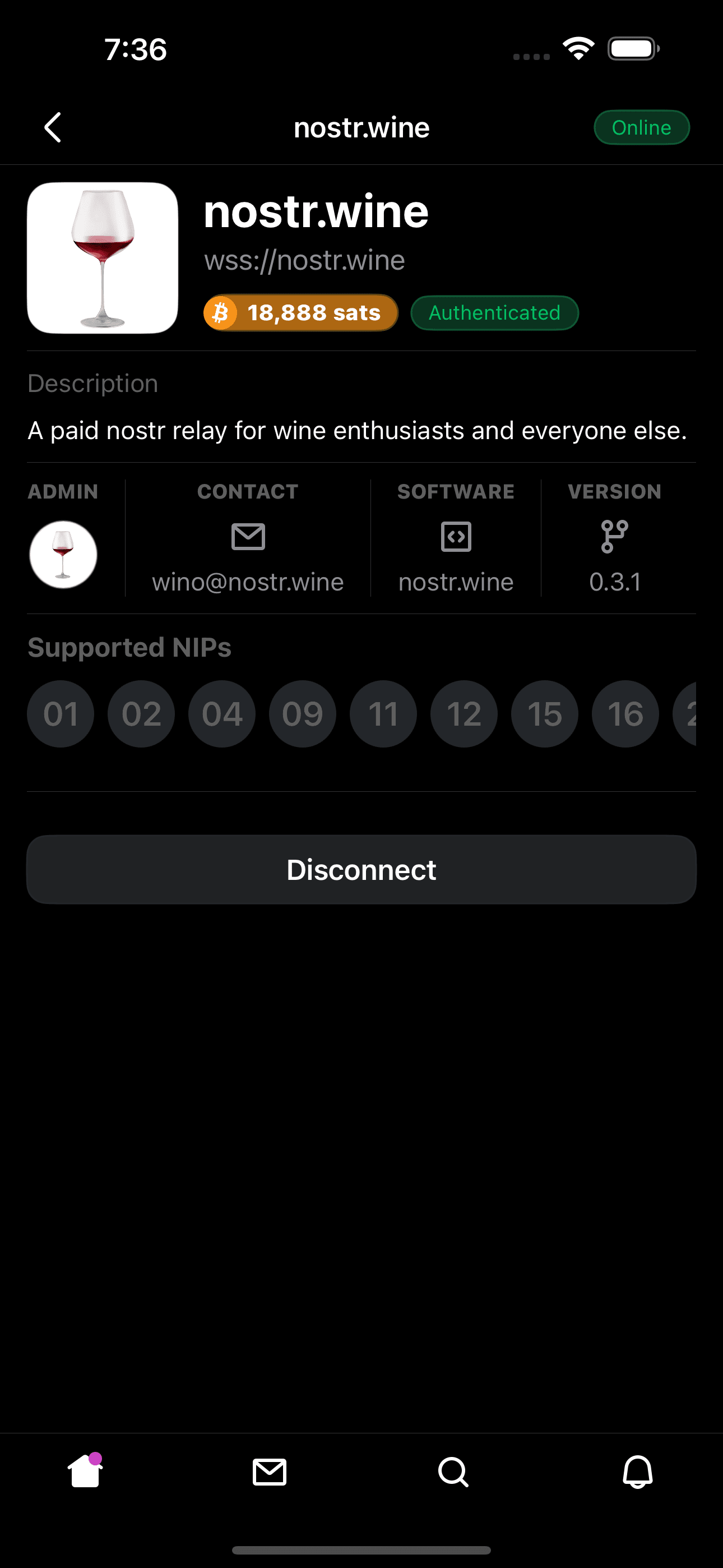
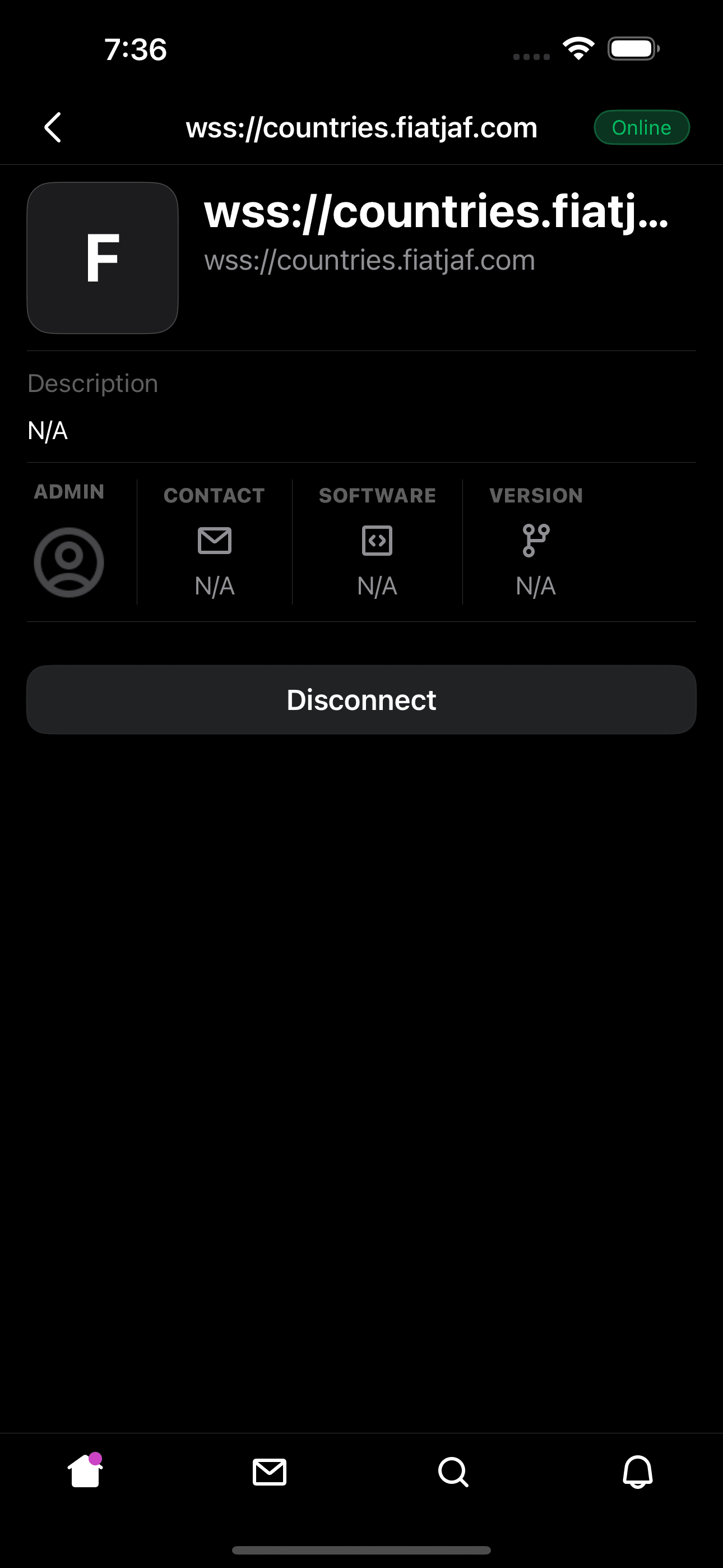
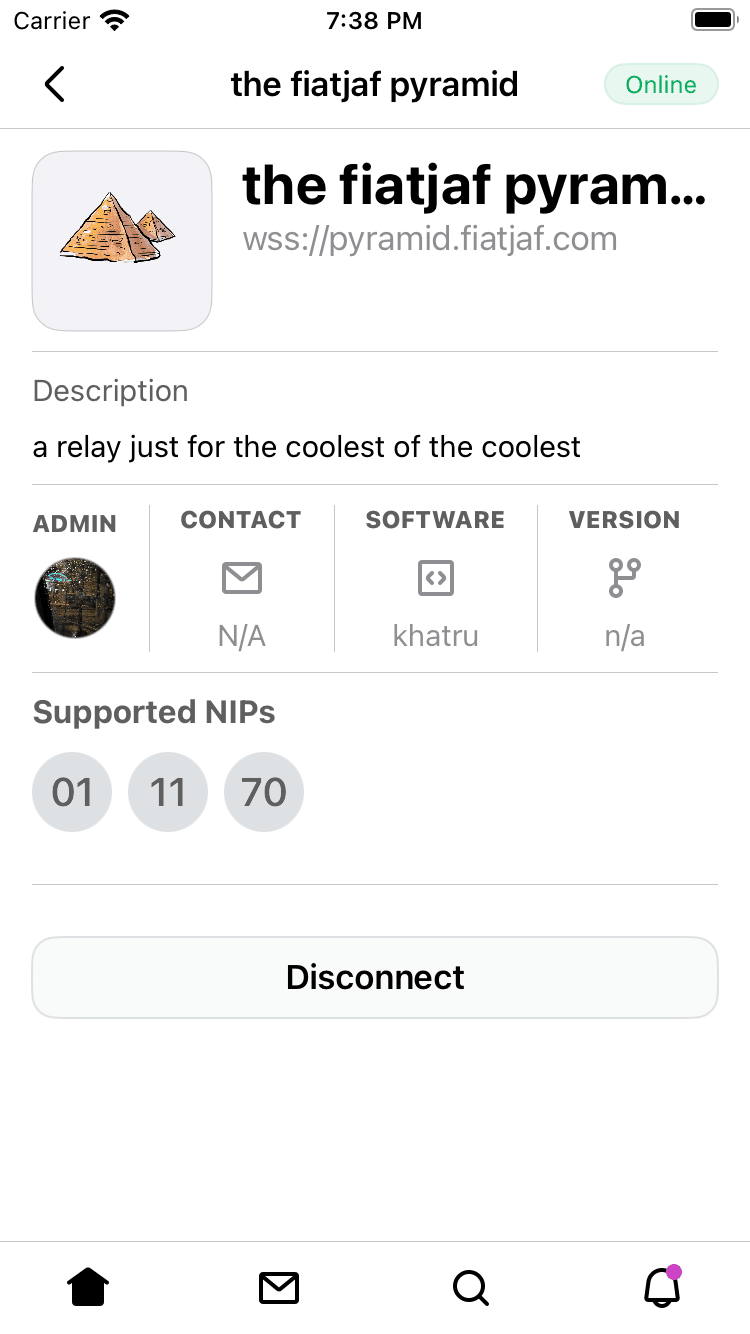
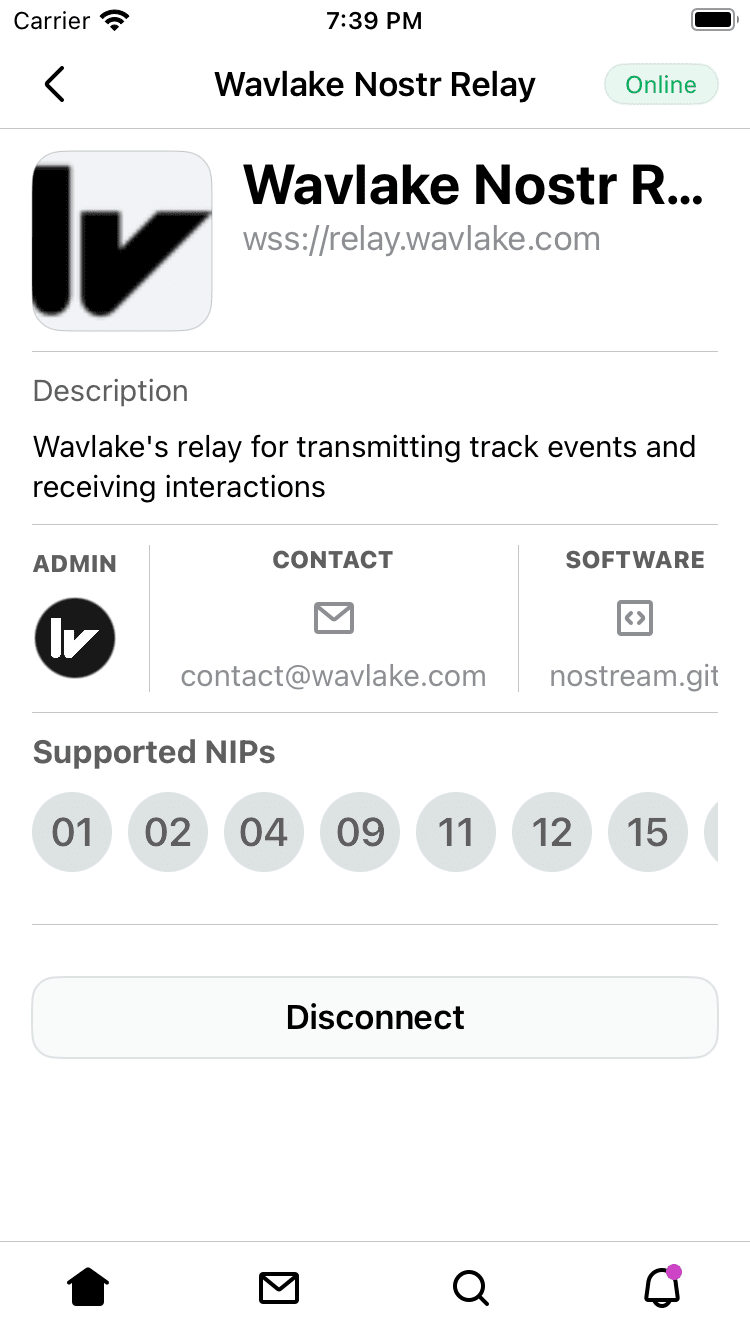
This patch redesigns the relay detail view. The first step needed to
further improve how relays are viewed. In addition, Fees are added to
the relay metadata to present to the user the admission, subscription,
or publication fees a relay may have.
There are various changes made, but mainly several relay details are
moved outside of the main RelayDetail view for easier tracking and
updates.
With this design we will be able to add ratings and relay previews, as
this patch is large enough I will submit that improvement in the future.
iPhone 15 Pro Max (17.3.1) Dark Mode:
https://i.nostr.build/VwVvq.pnghttps://i.nostr.build/KGO0v.png
iPhone SE (3rd generation) (16.4) Light Mode:
https://i.nostr.build/M5V26.pnghttps://i.nostr.build/gZKw3.png
Changelog-Added: Relay fees metadata
Changelog-Changed: Relay detail design
Signed-off-by: ericholguin <ericholguin@apache.org>
Signed-off-by: William Casarin <jb55@jb55.com>